
Turn Your Lovable Web App Into a Mobile App
You’ve built something unique with Lovable—a web app that makes your vision a reality and serves your users every day.
But what if you could meet your users exactly where they are: right on their mobile home screens, just a tap away? In today’s mobile-first world, offering your service as a real app isn’t just a luxury—it’s a smart, business-growing move.
If you’ve wondered how to turn your Lovable web app into a true mobile app, this guide is for you. We’ll show you how to make the jump without writing code, without losing your branding, and without the pain of traditional app development.
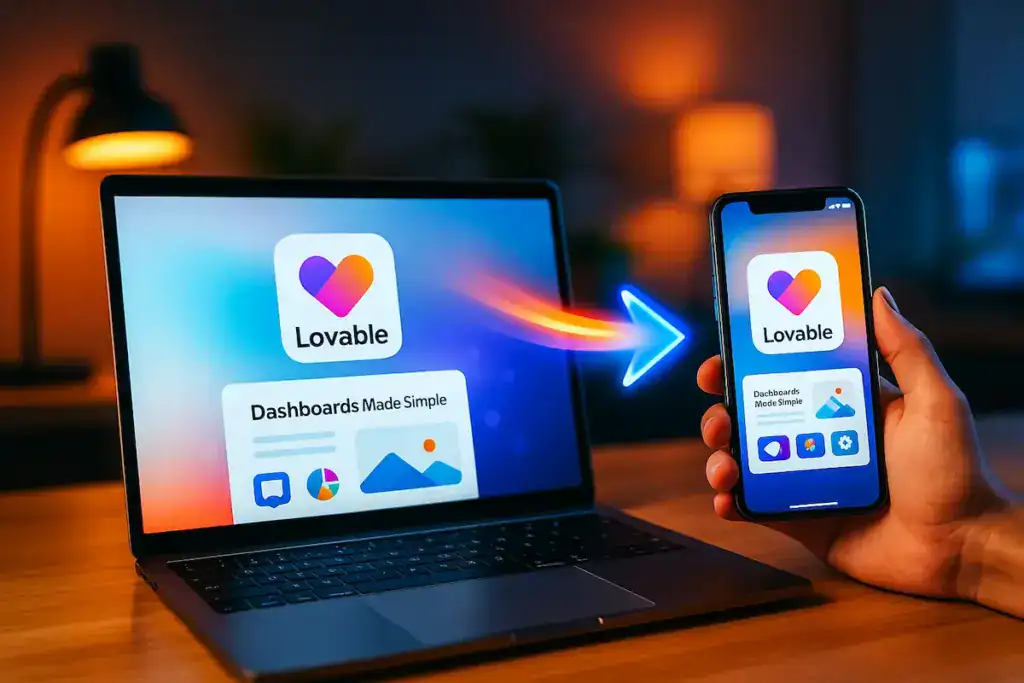
Turn your Lovable web app into a mobile app
Why Go Mobile? Beyond the Basics
Your web app is the heart of your business—but a mobile app takes it further:
- Instant accessibility: Your users no longer have to find your link, remember URLs, or search emails. One tap, and your service is open.
- Notifications in real time: Reach your users with instant updates, offers, or important reminders—even when they’re not using your app.
- Trust and credibility: An app in the App Store or Google Play positions you as a serious, reliable solution.
- Offline access: Native apps allow limited or full use even when users lose connection, improving satisfaction and loyalty.
- More engagement: Apps are proven to increase user return rates and session time compared to mobile web.
- Bottom line: A mobile app makes your brand feel bigger, more professional, and always within reach.
Why Not Build from Scratch?
Many Lovable creators fear that “going mobile” means hiring expensive developers or starting over from zero. But you don’t need to reinvent the wheel.
- No need to rebuild: You keep your existing Lovable app—content, design, and all.
- No steep learning curve: Skip Swift, Kotlin, or complicated frameworks.
- No double work: Maintain one platform (your web app), and let the mobile app always stay in sync.
How Does AppMyWeb Make the Difference?
AppMyWeb lets you convert your Lovable app into a mobile app in a way that’s simple, affordable, and designed for non-developers:
- Easy onboarding: Enter your Lovable app’s URL, and instantly preview your app in a mobile shell.
- Personalization: Adjust your app’s colors, icon, splash screen, and navigation to match your unique style.
- Push notifications: Communicate with users in real time, building stronger relationships and increasing retention.
- Publish everywhere: Step-by-step help to get your app live on the App Store and Google Play.
- Hands-on support: Friendly experts are available to guide you—not just generic documentation or forums.
The Friendly Step-by-Step: From Lovable to Mobile
Test Your Lovable App for Mobile Readiness
Use your phone to browse your web app. Are buttons easy to tap? Is text clear? Tweak your app in Lovable until it feels right.
Connect to AppMyWeb
Visit AppMyWeb and input your Lovable app’s URL. Instantly see how your web app looks as a mobile app.
Customize the Experience
Brand your app: upload a logo, choose your splash screen, set the color scheme, and adjust navigation. Make it truly yours.
Enable App Features
Turn on push notifications to engage users. Activate device features like camera, location, or offline access based on your needs.
Preview and Share
Use AppMyWeb’s emulator or share a test app with your team. Refine any details for the best user experience.
Publish to App Stores
Get easy-to-follow publishing guides. AppMyWeb helps with everything from preparing your store listing to handling review requirements—no technical skills required.
Tips for a Successful Conversion
Keep navigation simple: Mobile users love clear, easy menus.
Make it fast: Optimize your Lovable app’s images and scripts for quick loading on phones.
Use notifications thoughtfully: Send messages that truly matter to your users.
Test, test, test: Try your app on multiple devices before you launch.
Ready to Make the Leap?
Don’t let technical barriers hold you back from mobile growth.
Your audience is waiting for you in the app stores.
With AppMyWeb, you can launch your Lovable app as a real mobile app in days—not months.
Try AppMyWeb for free and see how easy mobile can be, or read our full website-to-app conversion guide for extra insights and tips. You can also explore how to convert Bubble apps or turn Base44 into a mobile app.
Your app is just a step away from every user’s pocket.
Start your mobile journey with AppMyWeb—
and experience how simple, human, and powerful going mobile can be.
Frequently Asked Questions
Turning your Loveable project into a mobile app gives your brand more exposure, better user experience, and access to native mobile features.
You’ll appear in Google Play and the App Store, enjoy faster performance, smoother navigation, and send push notifications directly to your users — all without writing a single line of code.
Before publishing, prepare these essentials:
A 1024ª1024 px app icon (no transparent background).
A Signing Key for Android and/or iOS.
These are required for generating your app files and publishing them to Google Play or the App Store.
To publish an iOS app, you must have an Apple Developer Account.
Log in to App Store Connect
? go to Certificates, Identifiers & Profiles.
Click the “+” (plus) icon to create a new App ID.
Use exactly the same details as in your AppMyWeb dashboard.
The App ID (App ID in AppMyWeb) must match the Bundle ID in your Apple Developer account.
Next, create a new App in your Apple Developer account under My Apps.
The App Name and Bundle ID must match your AppMyWeb project details exactly.
This ensures that the App Store Connect integration works correctly.
After that, go to App Store Connect ? Keys, create a new API key, and download the .p8 file along with your Issuer ID and Key ID.
Finally, go to AppMyWeb ? Key Manager ? Create Key ? Create iOS Key, and upload these details.
This links your Apple Developer account with AppMyWeb, allowing iOS builds and automatic publishing to work seamlessly.
With AppMyWeb, it can take less than 15 minutes.
You simply create a new project, connect your Loveable URL, customize your app’s design, and click Build.
Your Android or iOS app will be ready to publish — fast, simple, and completely code-free.
Ready to Launch Your Mobile App?
Turn your website into a professional mobile app in minutes. No coding required.
Get Started Free